Monthly Archives: May 2016

Photographing A Chestnut Sided Warbler and Why Maximum Aperture Matters

Photographing A Chestnut Sided Warbler

This fetching male Chestnut Sided Warbler arrived one late morning to the Service Berry tree in our yard. Lots of bird activity draws even more birds, I believe, and there was partying going on at the feeders.

The light was just right. The histogram revealed a nice balance of dark and light variation. The 1/400 shutter speed captured the moment sharply thanks in part to the relatively low ISO.

What a beauty! This spring specimen flaunts a bright yellow cap, black elongated eye stripes atop a white face, glossy chestnut colored streaks on its flanks and a complementing touch of yellow on the wing bars.

I photographed the female Chestnut Sided Warbler last Fall. I was not so lucky in proximity for that shoot and had to use a 2.0 extender on my 500mm lens to get the magnification I needed.
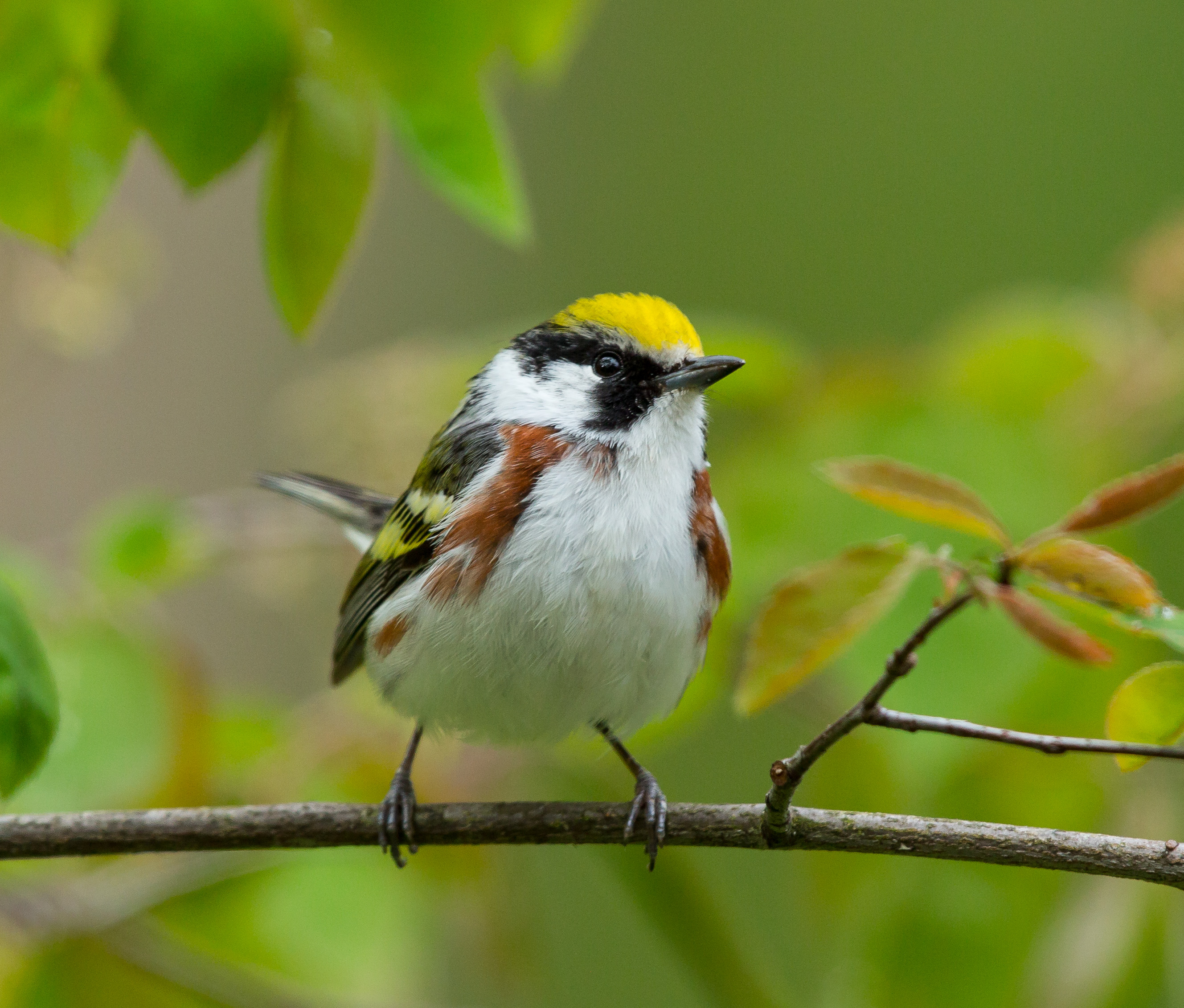
Photo of Chestnut Sided Warbler
Chestnut Sided Warbler
ISO800; f/6.3; 1/400 Second

Why Aperture Size Impacts Autofocus

Whenever I read about tele extenders, dire warnings about potential focusing problems surface. I find the literature on this subject to be somewhat baffling, or perhaps just incomplete, so I did some more research.

The basic question:  Why might autofocus be compromised when I attach a 1.4 or 2.0 extender to a telephoto lens?

It really depends on the lens – or more specifically, the maximum aperture of the lens. (See this post to learn more about the basics of aperture.)

Attaching an extender to a lens effectively narrows the the size of the len’s max aperture. A 1.4 extender shifts the len’s max aperture one stop smaller; a 2.0 extender shifts the len’s max aperture two stops smaller.

Photo of Chestnut Sided Warbler
Chestnut Sided Warbler
ISO1250; f/6.3; 1/500 Second

The Downside – Less Light

If the len’s maximum aperture becomes smaller when you attach an extender, light transmission through the lens is reduced. Example: My 300mm lens 2.8 L II lens with a 2x extender would lose 2 stops. As I look through the viewfinder I would see the equivalent of a f/5.6 aperture. That’s significantly less light. So What?

In order for you to see optimally through the viewfinder, you need light. In order for the camera and lens to accurately auto focus, they need light. When preparing to take a photo, the len is always set to its widest aperture for auto focus purposes. It immediately stops down to the aperture needed for correct exposure when the shutter is released.

Modern AutoFocus Point Technology

Modern multiple focus point technology (selectable and non-selectable assist points) is engineered to deal with a wide variety of action, accurately and fast. But autofocus points need light to work. With an active bird, you increase your chances of accurate focus if the maximum aperture of your lens lets in a lot of light. As the max aperture is reduced (as is the case when you attach an extender) the lens slows down and does a lot more hunting, especially on a low light cloudy day, and most especially when multiple focus points are activated.

(NOTE: See this post to learn more about using multiple focus points.)

Should I Attach A Tele Extender to My Lens?

If you have a lens letting in a lot of light (2.0 or 2.8 maximum aperture), the camera’s access points have sufficient light with which to autofocus. Attaching a tele extender to this lens would be no problem. However, a lens with an extender narrowing the max aperture to f/5.6 or f/8 may have insufficient light and/or contrast, causing some autofocus points to be slow or not operational. NOTE: The center auto focus point will most likely work because it will get the most light.

If you have a modern DSLR camera and are wondering how many auto focus points are actually working with a lens and extender attached, you can check. Activate all auto focus points, look through the viewfinder, press the shutter half way, and see how many light up.

Manual Focus to the Rescue

If autofocus does not work, you are left with manual focus. Looking through a relatively dark viewfinder may hinder your ability to get an accurate fix in manual focus.  NOTE: I find it hard to manually focus without lots of light so I generally switch the camera to Live View and focus from the LCD screen instead of thru the viewfinder. (More info on Live View is available at this post.)

Variable Aperture Zoom Lenses

Just to complicate this issue, some zoom lenses have variable apertures; meaning the max aperture available changes depending on the focal length. Example: Canon EF 100-400mm f/4.5-5.6L IS II USM Lens. The widest aperture of this lens is f/4.5 at 100mm and f/5.6 at 400mm.

Here’s a photo of the female Chestnut Sided Warbler:
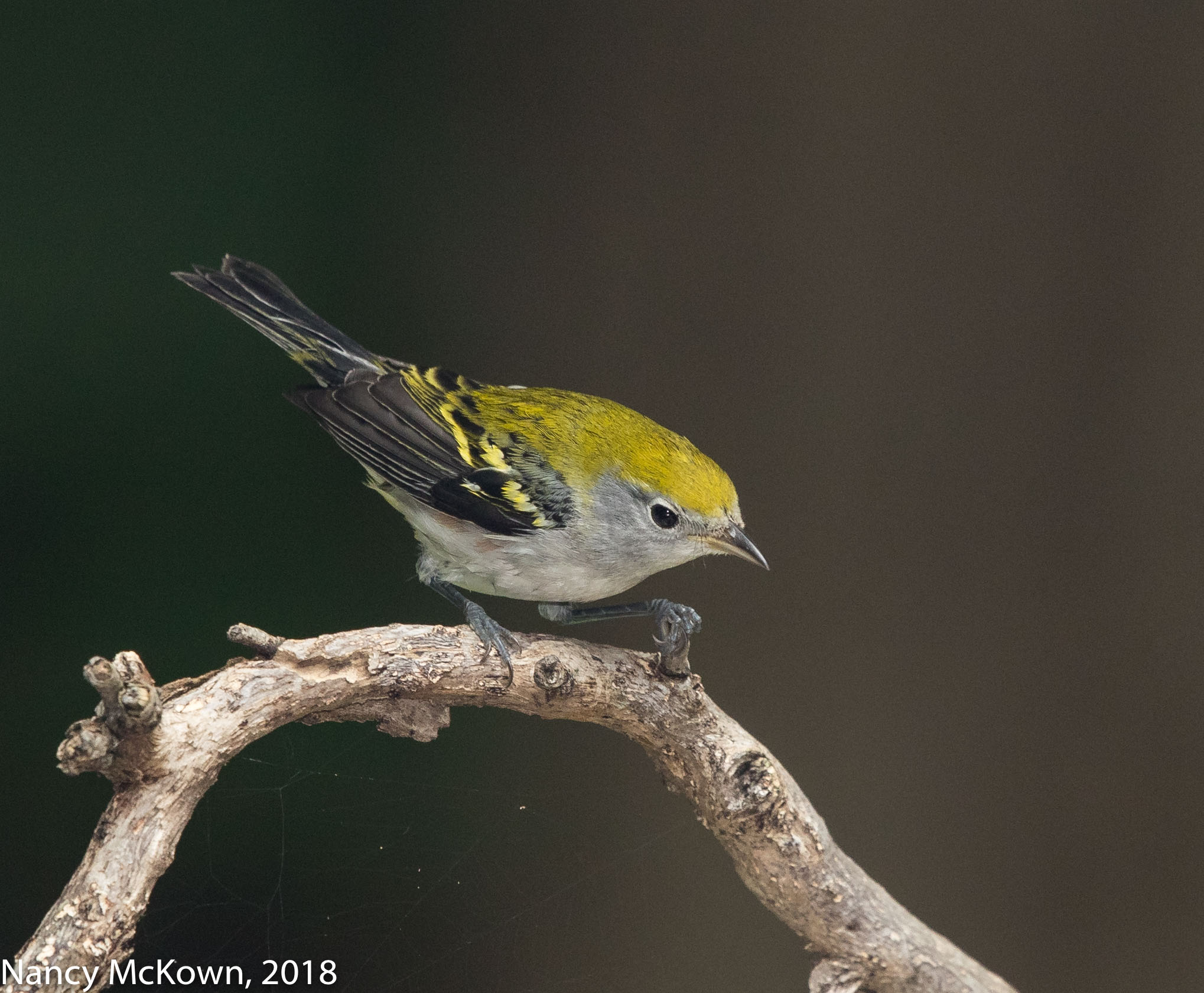
Female Chestnut Sided Warbler
ISO800; f/8; 1/250 Second

Photographing A Blue Gray Gnatcatcher and Choosing Between Shooting Modes

Photographing A Blue Gray Gnatcatcher

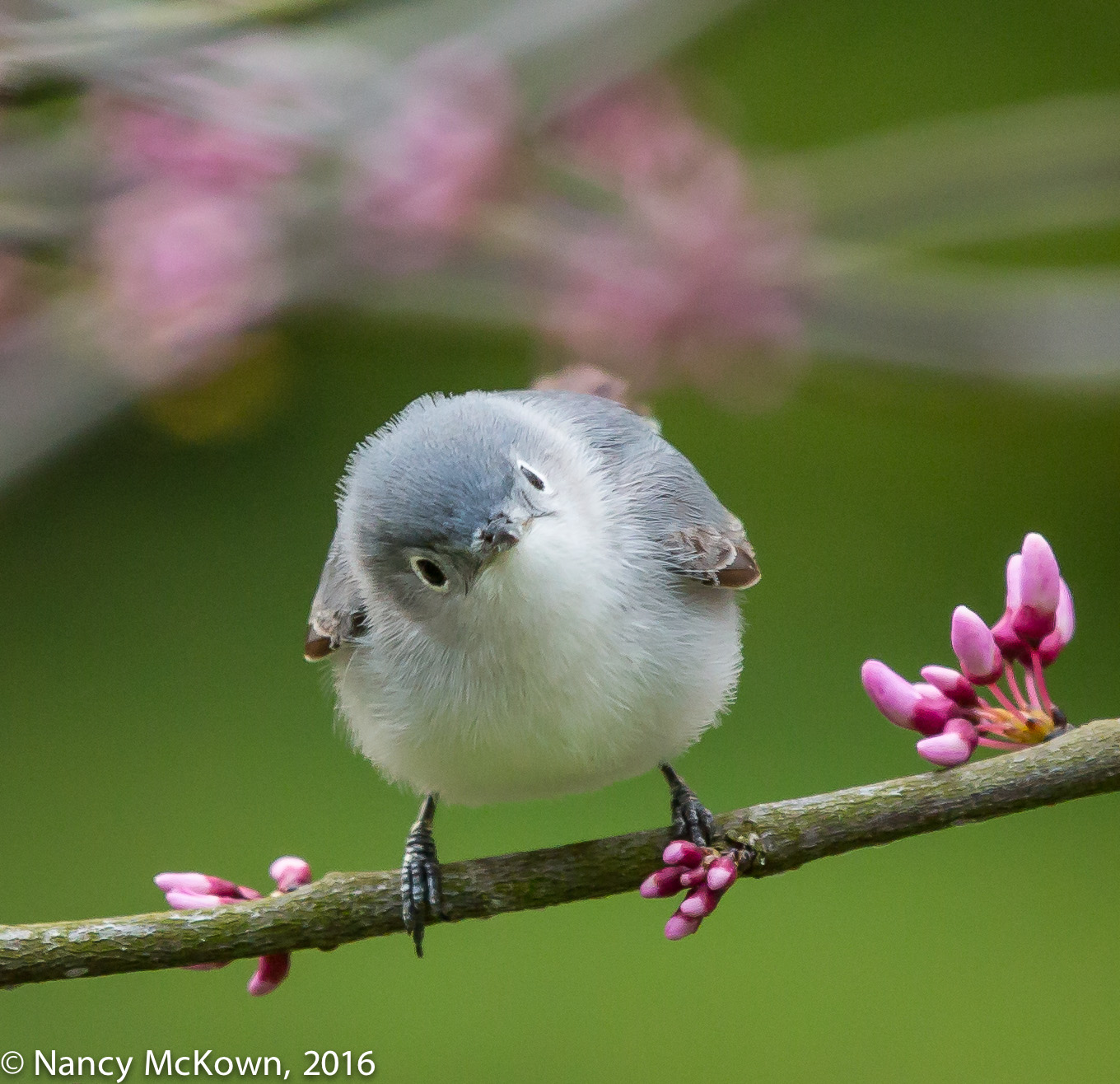
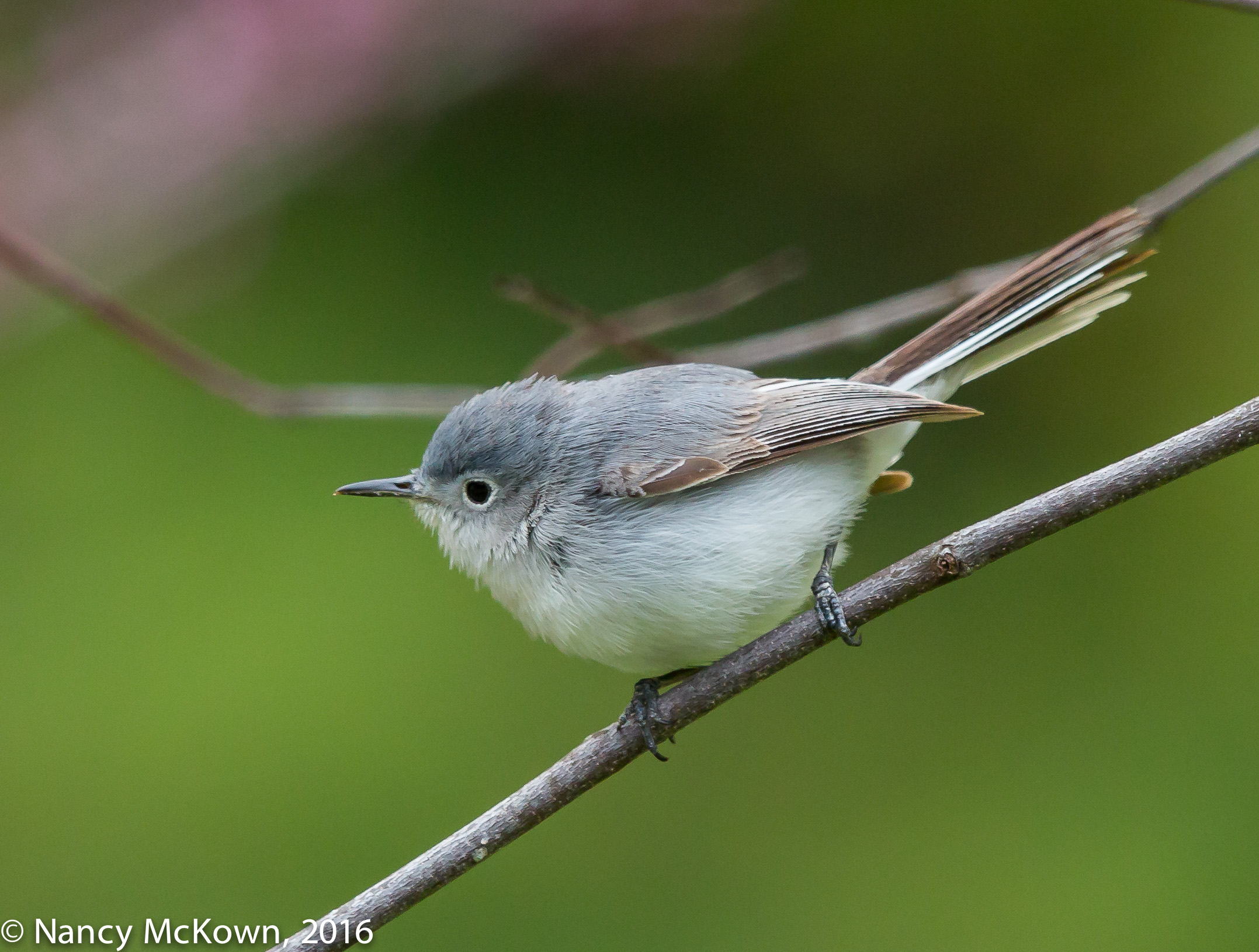
When I first saw this tiny songbird through the lens, he was looking back at me with an inquisitive look on his face. (Birds usually take flight at the sight of the camera, especially when it’s so close.)  I kept my wits, aimed the camera and set off a burst of continuous shots. Seconds later he lost interest in me and hopped to a different branch. Initially, I confused this diminutive wonder for a warbler because of his thin straight bill and flitting behavior while foraging for food. But once I was able to see a profile of his body, especially those swishing long tail feathers, I knew he was a gnatcatcher.

My camera was set to continuous shooting drive mode paired with Al Servo focusing. Without that pairing, I simply would not have been able to capture multiple shots in sharp focus of this fast moving little bird.

Photo of Blue Gray Gnatcatcher
Blue Gray Gnatcatcher Looking
Back at the Camera.
ISO1600; f/6.3; 1/640 Second

Don’t Confuse Shooting Mode with Focus Mode

Lots of photographers confuse shooting modes with focusing modes. They are very separate functions, even though they work hand-in-hand.

Shooting Modes simply control how the shutter release operates- including self timers. There are seven shooting modes available on modern Canon DSLR cameras:

  1. Single shooting mode
  2. High Speed Continuous shooting mode
  3. Low Speed Continuous shooting mode
  4. Silent Single shooting mode
  5. Silent Continuous shooting mode
  6. Self Timer 10 sec remote
  7. Self Timer 2 sec remote

Focus Modes kick in immediately after the shutter is depressed (autofocus only) and determine how the camera will achieve focus. Modern DSLR Canon cameras have 4 focusing modes:

  1. Manual Focus (no autofocus)
  2. One Shot Autofocus (will initiate focus once)
  3. Al Servo Priority Autofocus (continually tracks and updates focus)
  4. AI Focus (automatically alternates between One Shot and Al Servo modes, depending on the situation)
Photo of Blue Gray Gnatcatcher
Blue Gray Gnatcatcher
ISO1600; f/6.3; 1/640 Second.

Shooting Mode Paired with Focusing Mode

Once you choose a shooting mode, it’s critical to understand and decide how the camera will focus in this shooting mode.

  • If Single Shot Shooting (1 or 4 above) mode is paired with One Shot Focusing mode, the camera will lock down focus once (and ding if it is set to ding) every time you press the shutter. (NOTE: If the camera can not lock down focus, the shutter will not fire, no matter how much you push it.)
  • If Single Shot Shooting (1 or 4 above) mode is paired with Al Servo Continuous Focusing mode, the shutter will burst in quick succession (cache and memory card size allowing) as long as you hold down the shutter button, but auto focus will not continually adjust focus after that first shot. All shots taken after the first shot will be based on how the camera focused the first shot. (No good in fast moving and chaotic bird photography.)
  • If Continuous Shooting (2, 3, or 5 above) mode is paired with Manual Autofocus mode, you can burst away all you want, but the lens will not focus unless you do it manually. (Read more about Manual focus here.)
  • If Continuous Shooting (2,3, or 5 above) mode is paired with Al Servo Continuous Focusing mode, the camera will initiate and manage focusing operations after that first shot, as long as you continually hold down the shutter. (The photographer must accurately track the subject for this pairing to be worthwhile.)  

Al Servo Paired with Continuous Shooting

I almost always pair a continuous shooting drive mode with Al Servo Priority Autofocus mode for bird photography. With this pairing, Al Servo Autofocus can “predict” and keep focusing the lens during the continuous shooting burst —as long as I make sure that the focus points (whether all of them or just one) can find the target.

How Fast is Al Servo Paired with Continuous Shooting?

When you pair a continuous shooting drive mode with Al Servo Priority Autofocus mode, how fast your camera is able to “burst” during continuous shooting depends on the following:

  • The size of your camera’s buffer (especially if you are shooting RAW)
  • Inherent limitations of the camera and lens
  • The size and speed of memory card
  • The Al Servo priority autofocus settings.   (Huh?)

More Settings for Al Servo Priority

NOTE: This is an example of when menu complexity in a DSLR camera can be daunting. It’s no wonder that a lot of photographers prefer to use their camera’s default settings; or perhaps just fiddle with one or two plain vanilla automatic functions and use those forever, no matter the shooting environment.

One more thing must be customized in the menu after you have paired Continuous Shooting Drive Mode with Al Servo Priority focusing mode. You must also choose how you want the camera to prioritize focusing. 

The following settings are available:

  • Prioritize burst speed,
  • Prioritize focus accuracy; or
  • Prioritize a balance between the two.

My Choice: Maximize Sharp Focus

Prioritize focus accuracy is an easy choice for me. In bird photography, I always, always want tack sharp photos, so I am willing to sacrifice frame-per-second (FPS) burst rate speed. When I choose focus accuracy over burst speed, my keeper rate is higher. The continuous burst may be slower, more interrupted -especially in low light-causing me to miss some of the action. That’s OK with me.

I will do whatever it takes not to compromise sharpness.

More information on the Al Servo Mode Autofocus Tracking is available at this link.


Photographing Red Bellied Woodpeckers and Thoughts From a Camera Aficionado

Photographing Red Bellied Woodpeckers

An assortment of Woodpeckers live in or visit our heavily wooded yard, but the Red Bellied is the most prominent year round resident. (Odd name, since only a slight tint of red can be found on their bellies.) The males sport a prominent red crown, right above that chiseling beak common to woodpeckers. While probing and excavating for food, these birds strategically prop their tail feathers down on their perch for balance. Most prominent on all woodpeckers are their oversized clinging 4 toed feet (zygodactyl – two toes forward, two toes back). Drumbeat roll from these guys tap-tap-tapping on trees =19 taps per second.

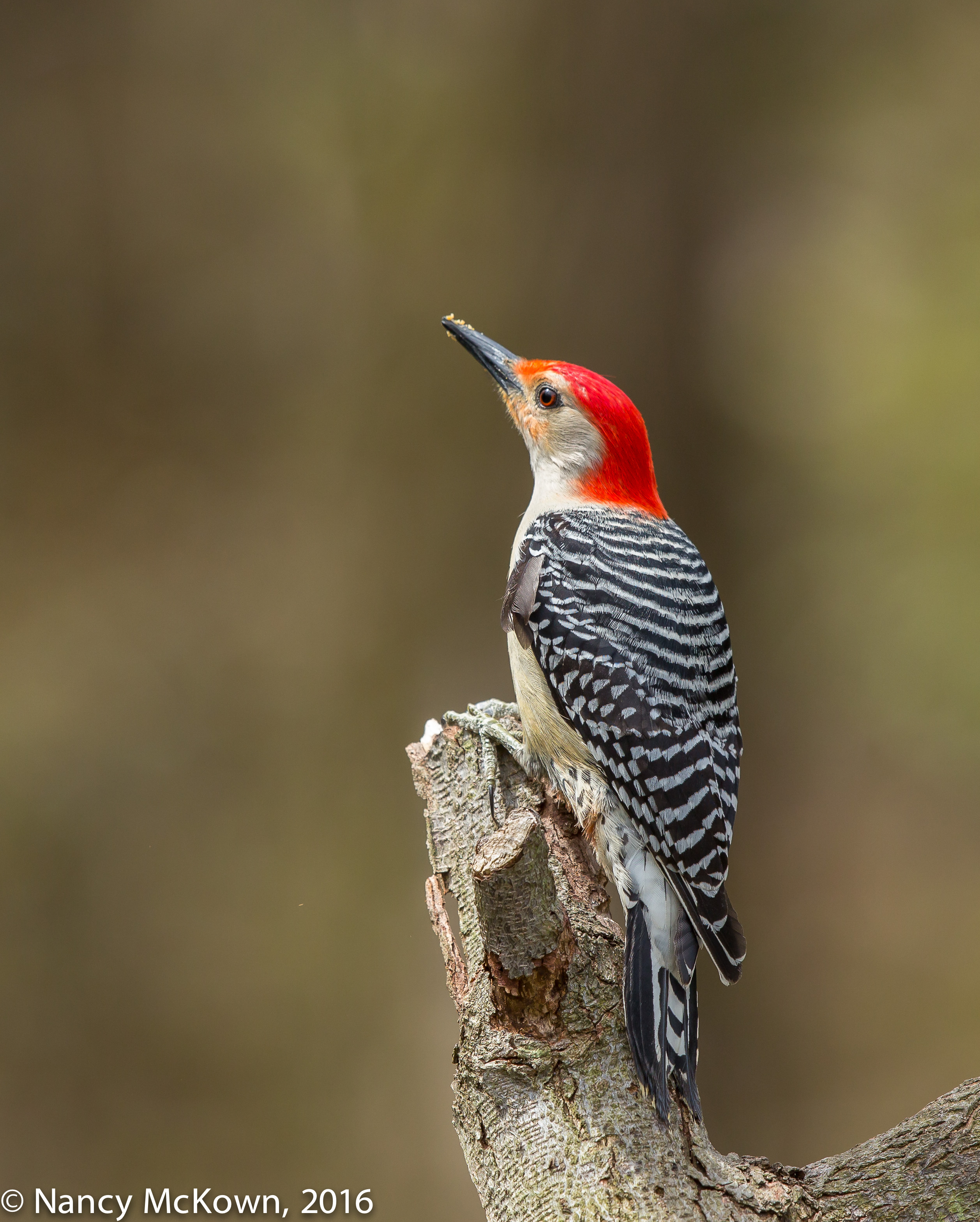
Red Bellied Woodpeckers are easy to photograph because they often cling to bare tree trunks and inch up and down methodically with their back feathers dragging behind. This male Red Bellied posed for me on a limb with ample morning light and no background distractions. He stayed less than a minute, but it was long enough for me to capture a couple shots.

Photo of Red Bellied Woodpecker

Red Bellied Woodpecker
ISO500; f/7.1; 1/640 Second

Read all About It

Can’t help but notice that Canon’s newest flagship camera (EOS-1D X Mark II) was due out in the Spring of 2016- right about now. Apparently, stores like Adorama, B&H, and others offered sample prototypes (for a day, a week?) to their favorite (and incredibly lucky!) photographers in exchange for writing a review. (Some restrictions did apply on the type of photos they could publish.) These teaser reviews get photographers like me salivating about owning a camera that is packed with spectacular image quality and state of the art creative control.

Photo of Red Bellied Woodpecker
Red Bellied Woodpecker
ISO400; f/7.1; 1/640 Second

Crazy?

Am I CRAZY to want to own this camera? The updated EOS-1D X Mark II is very pricy–$5999- too pricy considering that it’s not a good long term investment. Top of the line DSLR professional cameras do not keep their value like Canon’s premium lenses. 

Like computers, every camera upgrade brings enhanced speed, quality, and capacity- so much so that, after getting use to it, you wonder how you got along without it. For the last 15-20 years, I’ve always purchased Canon’s 2nd tier and 3rd tier more affordable DSLR cameras. These cameras are enticing because they typically contained two or three components that have trickled down from Canon’s best imaging technology.

Bottom line: 5 years ago I would have scoffed at the idea of buying this camera. I always presumed that the whole flagship DSLR camera package was not only out of my reach, but unnecessary.  At this point in my photographic adventures, I’m considering it.

Expectations and Potential

This newest flagship camera is all about expectations and potential. A few reviewers out there grumble that it’s a toy for the rich and that the enhancements over the last flagship model are just superficial- not worthy the upgraded “Canon D X Mark II” label. But I don’t think so. This camera is an admittedly expensive investment for bird photographers (professionals and amateurs) who take their work seriously and find pure, unadulterated delight in the possibilities of a cutting edge tool.

Camera Aficionado

I’ve always been a camera aficionado, carefully attentive to equipment and always tuned in to pioneering developments as they relates my extravagant fondness for bird photography. New, more complex electronic and mechanical contrivances are an essential part of my challenge. A new camera brings with it an aura of wonder – surprise mingled with admiration–not only because it’s bigger- better-faster, but because I have to understand what makes it tick.

Make no mistake. This new equipment won’t solve problems of poor lighting, entice a Red Bellied Woodpecker to come closer or even show up in the first place. The challenge, the rewards, the adventure, the striving to get better, the thrill of success—all these things are possible with a lesser camera.

But that’s not what I’m looking for at this time in my life. I want to devote time and initiative to new gear (trappings?) that force me to be quick and nimble, go past old boundaries and struggle to better understand the potential and rewards of the new imaging technology.

A Girl Can Dream

When everything’s said and done, this camera sounds fabulous and I want one. It has an advanced Digic 6+ processor and faster bursting, (with enhanced buffer and memory card storage to accomodate), a more precise 360,000 pixel RGB+IR metering sensor, and a more advanced 3D auto focus and tracking system. I can expect to see more comprehensive dynamic range in my images, better detail (in the shadows) at higher ISOs, and better camera stability due to a new springless mirror assembly that minimizes bounce. 

I write a lot about sensor quality…. so this is my favorite part. The full size sensor is 20.2 megapixels with increased sensitivity engineered to keep the ISO low when light is scarce, especially in the dark portions of the image. When the light is so inadequate that ISO must rise and compensate (especially in my yard) the quality of high ISO images from this new sensor promises to be much better than its predecessors.

My biggest disappointment so far: No cropped-sensor options; no 4:5, 1:1, APS-C or other crop options as have been included on the 5DS megapixel cameras.

The list goes on and on. Build-wise, it most certainly is rugged enough to outlive me –though probably won’t outlive my interest for the new and exciting.

I will sell the old to make way for the new and bite the bullet. I might hold off on this purchase just to see if other photographers who use this camera day-in and day-out are impressed. 

Buyer’s remorse may come, but, on the other hand; “You can get what you want or you can just get old.” (Billy Joel)

NOTE: Press this link for more information on my thoughts about the Canon’s 50 DS R 50 Megapixal cameras.


Photographing a Northern Harrier and Trusting the Camera’s Autofocus

Trusting the Camera’s Autofocus

For a long time, I did not dare to venture into the confusing maze of menus that controls auto focusing on modern DSLR cameras. I was too comfortable with the Single Point AutoFocus, thus limiting the multi-point focusing functions of the camera and using only one, center based AF point. Keeping a moving bird’s head or body contained in just one focus point is not easy, especially if the bird is bouncing in and out of the frame and you are in the limited panning environment of a vehicle. I used single point autofocus so much because I felt I could trust my bird tracking and panning abilities more than the camera’s technology to react fast and lock focus on target. That’s a mistake in bird photography.

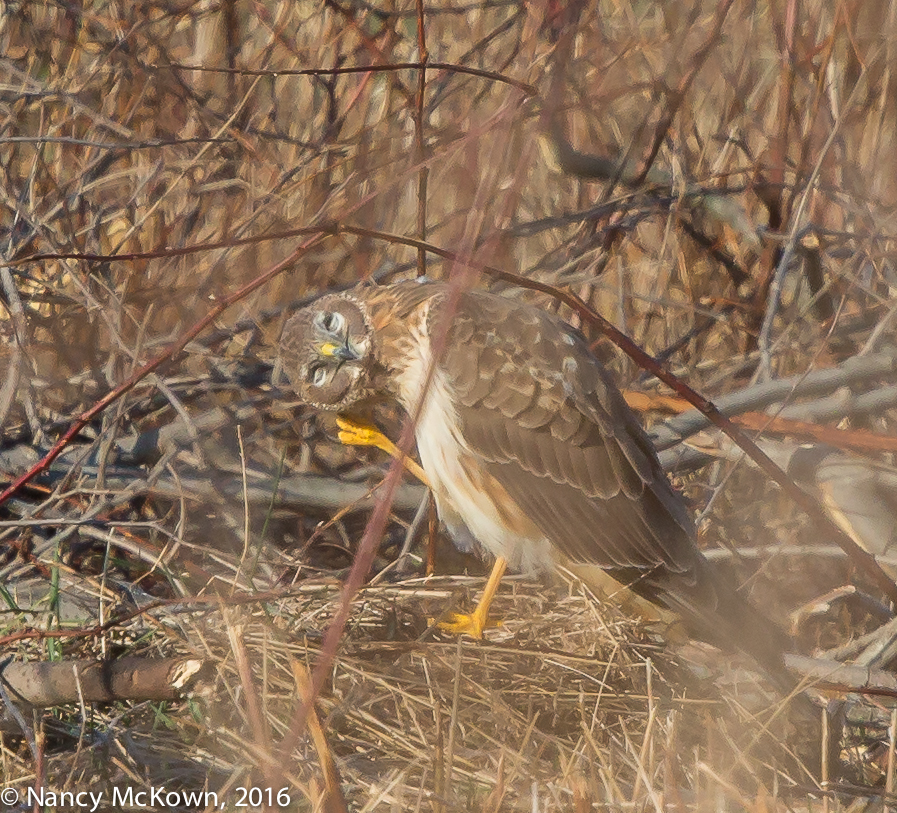
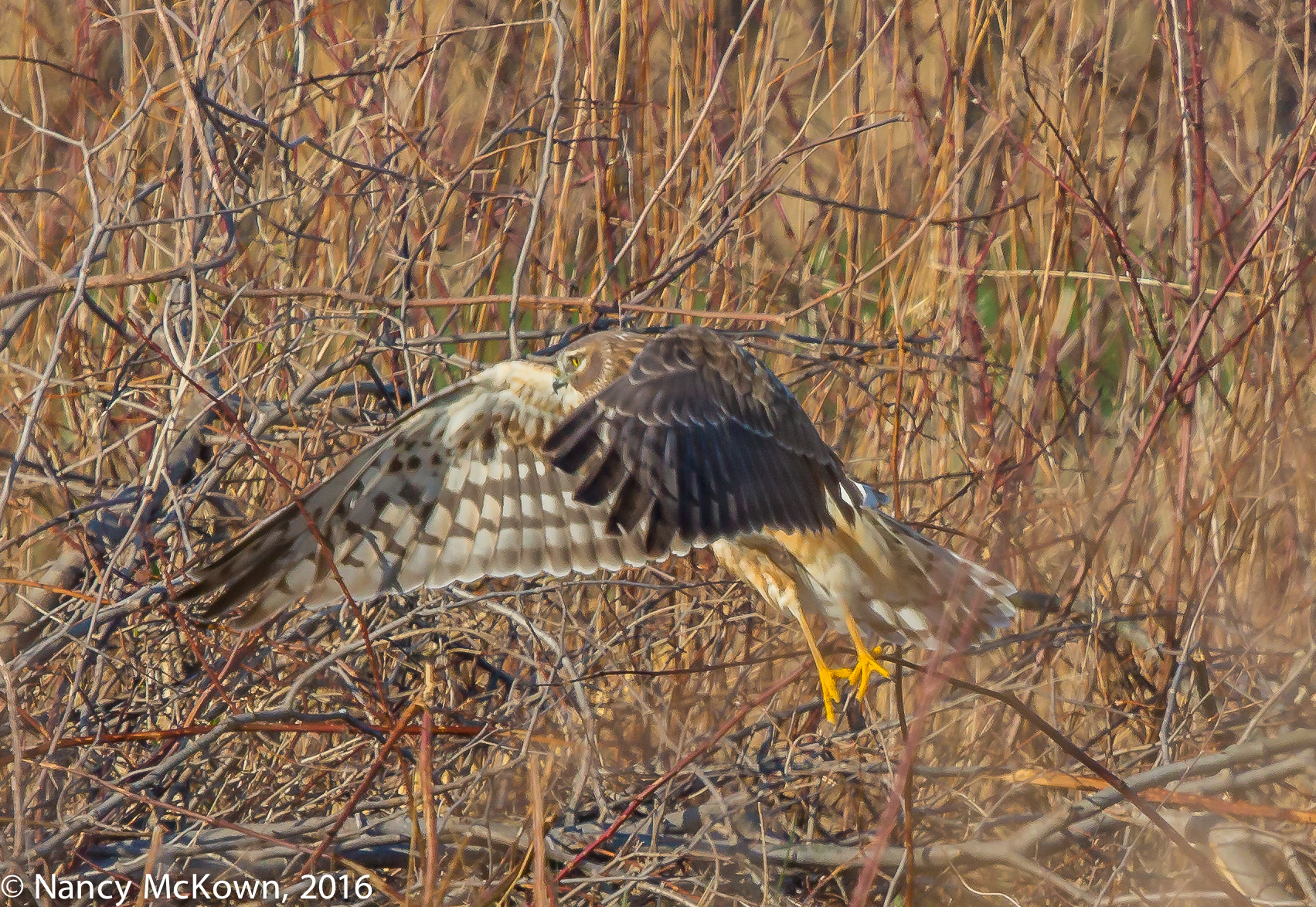
Northern Harrier
Extreme Enlargement of a Northern Harrier, 
on the Ground and Tightly Surrounded by Foliage.
ISO 800; f/9; 1/1600 Second

Auto Focus Compromised From the Start

For this shoot, autofocus was compromised from the start. The Northern Harrier was embraced within tightly packed brambles and grasses. His plumage blended well with the foreground and background – so much so that there was not a lot of contrasting color to separate the surroundings from the target and help the auto focusing mechanism lock focus. Worst of all, the bird was NOT anywhere near to filling the frame.

NOTE: The distance between the bird and the lens alone was enough for me to pass up the shot. However, this bird just happened to be a Northern Harrier, a handsome and unfamiliar raptor, so I had to go for it.

Photo of Northern Harrier
Northern Harrier at Liftoff,
Extreme Enlargement
ISO800; f/9; 1/1600 Second

Check AutoFocus Settings

For a long time, I assumed that if the images I took looked decidedly out of focus, it was because I somehow mishandled the camera. I also wondered if perhaps my expensive 500mm lens needed to be re-calibrated or sent to Canon Service to bring it back to factory specifications. Auto focus can go wrong for a lot of reasons, both camera/lens related and user error, but one of the first things photographers should check is the autofocus settings within the camera menu system.

Different Focusing Scenarios

Canon DSLR cameras offer 6 different auto focusing choices. You must choose one option from the six (6) “case scenarios” that you think best fits the focusing challenges you will be faced with in the field. You then customize that one chosen scenario by deciding how intensely you want the following three (3) focusing functions to respond:  a) Tracking Sensitivity,  b) Accelerating and De-accelerating tracking; and c) Auto-Focus Point Auto Switching.

My Auto Focus Settings

I have set and re-set these functions many times on both my cameras. I have erred on the side of restricting the cameras too much for most of the bird photography challenges I encounter.

I have had the most success when my cameras are set to the Case #2 scenario. The Canon manual defines Case #2 Auto Focusing as:  “The camera will try to continue focusing the subject even if an obstacle enters the AF points or if the subject strays from the AF points. Effective when there may be an obstacle blocking the subject or when you do not want to focus the background.”

Once you match a case scenario to the conditions in the field, the camera’s auto focus system will be able to evaluate the scene and automatically adjust focus so much faster than the photographer can do manually.

Within the Case #2 Focusing Scenario, I have adjusted the “behaviors” of Case #2 as follows:

Tracking Sensitivity

As I track the bird in this mode, the tracking sensitivity is programmed to stay with the original subject (set at -1). Intruding obstacles (like blowing grasses, other birds, tree trunks, irate DNR officers) do not distract focusing from the primary target. (NOTE: If you do want the camera to track focus on anything that intervenes with your target, set it to +1 or +2 .)

Accelerating and De-Accelerating Tracking

It’s almost impossible to predict where, when and how fast the bird will fly off. I set the accelerating and de-accelerating tracking to immediately respond to the movement of the bird. Mine is set to -1.

Auto Focus Point Auto Switching

Having multiple points to help keep track of your subject is very advantageous. What is even better in fast and unpredictable situations is when the camera is programmed to follow the action and immediately switch as needed to activate the best auto focus points within the range of the viewfinder. Mine is set to +1

Activate Auto Focus Points

Once you engage the lightning fast, predictive auto focusing system that best fits your birding environment, don’t constrain it by setting the camera to use only one focusing point within the auto focus area selection options. You can be cautious and use the more limited zone focusing or let loose and activate the entire focus point system. (On Canon’s more modern cameras, 61 autofocus points are available.)

Then, once your autofocus settings match your bird photography scenario, it’s just a matter of watching and waiting; and hoping that the bird will take off sooner rather than later because of your aching back and neck.

NOTE:  Canon 5 D Mark III cameras allow you to quickly switch between Zone AF and 61 point automatic selection AF.  See this link and for more information.